Table of Contents
Have you ever been asked to “Enter the SMS code sent to your phone” and paused for a second? Or perhaps you received a text from a weird 5-digit number and wondered, “Who is 22334?”
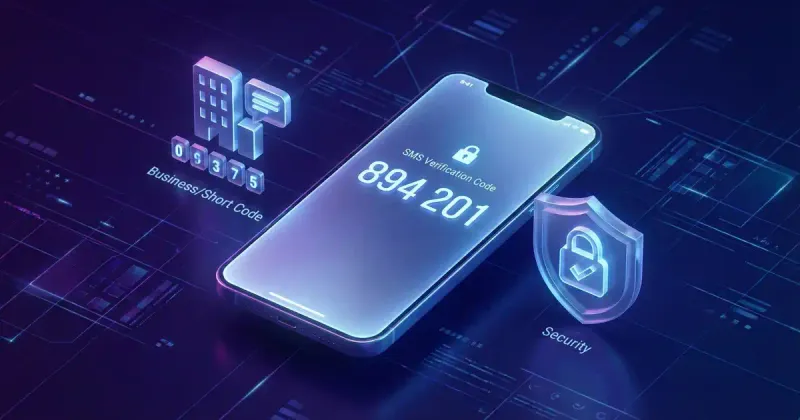
You aren’t alone. The term “SMS Code” is confusing because it refers to two completely different things in the world of mobile messaging:
- The Sender (Short Code): The 5 or 6-digit phone number that sends the message (e.g.,
22-334). - The Content (Verification Code): The 6-digit security password inside the message (e.g.,
123-456).
Understanding the difference isn’t just about tech trivia—it’s crucial for your digital security. Whether you are a user trying to log into Instagram or a business owner looking to send marketing texts, this guide covers everything you need to know about SMS codes in 2026.
The Two Types of SMS Codes: A Quick Comparison
Before we dive deep, let’s clear up the confusion. Here is how to tell them apart at a glance:
| Feature | Short Code (Sender) | Verification Code (Content) |
|---|---|---|
| What is it? | A specialized phone number. | A temporary password (OTP). |
| Length | Usually 5 or 6 digits. | Usually 4 to 6 digits. |
| Example | 22334 | 894-201 |
| Purpose | To send high-volume messages. | To verify your identity. |
| Who uses it? | Businesses (Banks, Google, Uber). | Security Systems (2FA). |
| Action | You receive texts from it. | You enter it into an app. |
Part 1: What is an SMS Short Code? (The Sender)
If you receive a text message from a number that is shorter than a standard 10-digit phone number (like 555-123-4567), you are looking at a Short Code.
Definition
An SMS Short Code is a 5 or 6-digit phone number used by businesses to send and receive text messages at scale. Unlike your personal mobile number, short codes are pre-approved by mobile carriers to send millions of messages per day without getting blocked as spam.
Why Do Businesses Use Short Codes?
You might wonder, “Why doesn’t Google just text me from a normal number?” The answer is Throughput (Speed).
- Long Code (10-digit): Can send ~1 message per second. Good for chatting, bad for mass alerts.
- Short Code (5-6 digit): Can send 100+ messages per second.
Imagine a bank needing to send 500,000 fraud alerts instantly. A standard number would take days to deliver them. A short code takes minutes. This is why critical alerts almost always come from short codes.
Common Short Code Examples
You’ve likely seen these before. While they can vary by country, here are some recognizable US examples:
- Facebook:
32665(FBOOK) - Twitter:
40404 - Google:
22000 - Amazon:
262966
Are Short Codes Safe?
Generally, yes. Short codes are highly regulated. To lease one, a business must undergo a strict vetting process by mobile carriers (AT&T, Verizon, etc.). Scammers usually prefer standard 10-digit numbers because they are cheaper and easier to hide behind.
However, if you receive unwanted spam from a short code, you have a nuclear weapon: The STOP Command.
Pro Tip: Legally, if you reply STOP to any short code, the sender must unsubscribe you and stop sending messages immediately.

Part 2: What is an SMS Verification Code? (The Content)
Now let’s talk about the content of the message. When an app asks for your “SMS Code,” they usually mean a One-Time Password (OTP).
Definition
An SMS Verification Code (also known as a 2FA Code or OTP) is a temporary, numeric password sent to your mobile phone to prove that you are who you say you are.
How It Works (The A2P Flow)
This process is called A2P (Application-to-Person) messaging.
- Trigger: You enter your username and password on a website (e.g., logging into PayPal).
- Challenge: The site notices a new device or requires extra security. It generates a random code (e.g.,
592834). - Delivery: The site sends this code to the phone number on file via SMS.
- Verification: You enter
592834on the website. - Access: The site confirms the code matches and grants access.
Why Are They Mostly 6 Digits?
Security engineers balance security with usability.
- 4 Digits: 10,000 combinations. Easier to guess (brute force) by a computer.
- 6 Digits: 1,000,000 combinations. Hard enough to guess, short enough to memorize for 10 seconds.
The “Gold Rule” of Verification Codes
There is only one rule you need to remember:
NEVER share your 6-digit SMS code with anyone.
No exception.
- Bank employees will never ask for it.
- Tech support will never ask for it.
- Friends on social media should never ask for it.
If someone asks for the code sent to your phone, they are trying to hack your account. This is a common scam called “Social Engineering.”
Troubleshooting: Why Am I Not Receiving SMS Codes?
There is nothing more frustrating than staring at a screen waiting for a code that never arrives. If your verification code is missing, try these steps in order:
1. Check Your Signal
SMS requires a cellular connection, not just Wi-Fi. If you have “No Service” or are in “Airplane Mode,” the text won’t come through.
- Fix: Toggle Airplane Mode On and Off to reset your connection to the nearest cell tower.
2. Check “Unknown Senders” Filter
Smartphones have aggressive spam filters that might silently hide these messages.
- iPhone: Go to Settings > Messages > Unknown & Spam and check if “Filter Unknown Senders” is on. Check the “Unknown Senders” tab in your messages app.
- Android: Open Messages, tap the 3 dots, and check “Spam & Blocked”.
3. Restart Your Phone
It’s a cliché for a reason. Restarting clears the network cache and re-registers your phone with the carrier network. This solves delivery issues 50% of the time.
4. Contact Your Carrier (The “Short Code Blocking” Issue)
This is a hidden issue. Some mobile plans (especially prepaid or family plans) have “Premium SMS” or “Short Code Blocking” enabled by default to prevent accidental charges.
- Fix: Call your carrier (T-Mobile, AT&T, etc.) and ask: “Is Short Code Blocking enabled on my line?”
How to Enable SMS Autofill (A User Experience Hack)
Tired of memorizing the code and typing it in? Modern phones can read the SMS and paste the code for you.
On iPhone (iOS)
- Go to Settings.
- Tap Passwords.
- Tap Password Options.
- Toggle AutoFill Passwords and Passkeys ON. Now, when a code arrives, the keyboard will suggest it automatically.
On Android
- Open Settings.
- Go to Google > Autofill.
- Tap SMS Verification Codes.
- Toggle Autofill service ON.
Security Warning: The “Send Me My Code” Scam
We mentioned this earlier, but it deserves its own section. A very common scam on WhatsApp and Instagram works like this:
- The Setup: You get a message from a friend’s account (which has been hacked): “Hey! I accidentally told Instagram to send my login code to your number by mistake. Can you tell me what it is?”
- The Trap: You receive a text with a code.
- The Reality: The scammer is actually trying to log into YOUR account. They triggered the “Forgot Password” process on your account. The code on your phone is your login key.
- The Result: If you give them the code, they take over your account instantly.
Takeaway: A verification code is for YOU. It opens doors for YOU. Giving it away gives away your keys.
Conclusion
The term “SMS Code” is a linguistic chameleon.
- If you are looking at the sender, it’s a Short Code—a powerful tool for business communication.
- If you are reading the message, it’s a Verification Code—a vital key for your digital security.
As we move into 2026, SMS remains the backbone of internet security. While technologies like “Passkeys” are rising, the humble 6-digit SMS code isn’t going anywhere soon. Treat it like your credit card PIN: keep it private, keep it safe.
Frequently Asked Questions (FAQ)
What is my SMS code number?
This depends on what you are looking for. If an app asks for your “SMS number,” it is your mobile phone number. If it asks for an “SMS code” to log in, it is the 6-digit number sent to your text messages.
Can I get an SMS code without a phone?
It is difficult. Some “Virtual Number” services online offer this, but many major platforms (Google, Banks, WhatsApp) block these virtual numbers (VOIP) for security reasons. You usually need a real SIM card.
Is it safe to reply STOP to a short code?
Yes. For legitimate short codes (5-6 digits), replying “STOP” is the federally regulated way to unsubscribe. However, avoid replying to random 10-digit numbers sending obvious spam, as it confirms your number is active.
Why is my SMS code 5 digits instead of 6?
While 6 digits is the standard for OTPs, some older systems or specific brands use 4, 5, or even 8 digits. As long as you requested it, it is likely safe.
Related Articles:
WhatIsSMS.com
SMS Technology Guide