Table of Contents
An SMS notification is an automated text message sent to inform users about important events, updates, or actions related to their account or transaction. Unlike promotional messages, SMS notifications are triggered by specific user actions or system events—making them essential for modern business communication.
From delivery tracking updates to two-factor authentication codes, SMS notifications have become the backbone of real-time customer communication across industries.
What Makes SMS Notifications Different from Marketing SMS?
Understanding the distinction between notifications and marketing messages is crucial for both compliance and effectiveness.
Unlike SMS marketing campaigns, which promote products or services, SMS notifications are transactional in nature. They’re triggered by user actions and provide information that recipients actively expect or need.
| Aspect | SMS Notification | SMS Marketing |
|---|---|---|
| Purpose | Inform about transactions/events | Promote products/services |
| Trigger | User action or system event | Scheduled campaign |
| Consent | Often implicit (service agreement) | Explicit opt-in required |
| Timing | Real-time, as events occur | Planned send times |
| Examples | Order confirmations, OTP codes | Sales promotions, coupons |
Types of SMS Notifications
SMS notifications serve various business functions. Here are the most common types:
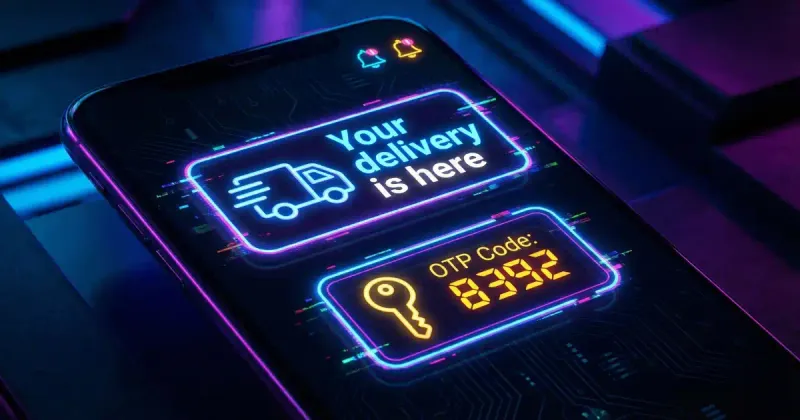
1. Delivery and Shipping Alerts
E-commerce companies use SMS notifications to keep customers informed about their orders:
- Order confirmed: “Your order #12345 has been placed successfully”
- Shipped notification: “Your package is on its way! Track: [link]”
- Out for delivery: “Your order will arrive today between 2-6 PM”
- Delivered confirmation: “Your package has been delivered”
Why SMS? 98% open rate ensures customers see delivery updates instantly, reducing “where’s my order?” support tickets by up to 80%.
2. One-Time Password (OTP) Codes
Security-critical applications rely on SMS for two-factor authentication:
Your verification code is: 847291
This code expires in 10 minutes.
Never share this code with anyone.
Use cases:
- Banking and financial transactions
- Account login verification
- Password reset confirmation
- Payment authorization
3. Appointment Reminders
Healthcare, beauty, and service industries reduce no-shows with timely reminders:
- 24-hour reminder: “Reminder: Your appointment with Dr. Smith is tomorrow at 2:00 PM”
- Same-day reminder: “Your appointment is in 2 hours. Reply C to confirm or R to reschedule”
- Follow-up: “Thank you for visiting! Your next appointment is scheduled for…”
Studies show appointment reminders reduce no-show rates by 30-50%.
4. Account and Security Alerts
Financial institutions and online services send security notifications:
- Login from new device detected
- Password changed successfully
- Suspicious activity warning
- Account balance updates
- Credit card transaction alerts
5. Service Status Updates
Utility companies, airlines, and service providers keep users informed:
- Flight status: “Flight AA123 delayed. New departure: 4:30 PM”
- Service outage: “Scheduled maintenance tonight 2-4 AM. Brief service interruption expected”
- Restoration: “Power restored to your area. We apologize for any inconvenience”
How SMS Notifications Work: Technical Overview
Understanding the technical flow helps businesses implement notifications effectively.
The Notification Pipeline
User Action → Application Server → SMS API → Carrier Network → User's Phone
     ↓              ↓                ↓             ↓              ↓
  (Trigger)    (Processing)     (Delivery)    (Routing)      (Receipt)
Key Components
- Trigger Event: User completes checkout, requests OTP, etc.
- Application Logic: Your system determines message content
- SMS API Provider: Twilio, MessageBird, Vonage, etc.
- Message Queue: Handles high-volume scenarios
- Carrier Delivery: Routes to recipient’s network
- Delivery Report: Confirms message was received
Delivery Speed
SMS notifications typically deliver within 3-5 seconds of being triggered—critical for time-sensitive messages like OTP codes.
Best Practices for SMS Notifications
1. Keep Messages Concise
SMS has a 160-character limit for GSM encoding. Write clear, actionable messages:
Good:
Your order #4521 shipped! Arrives Jan 21. Track: bit.ly/track4521Too Long:
Thank you for your order! We wanted to let you know that your order number 4521 has been shipped and is currently on its way to you...2. Include Essential Information Only
Every notification should answer:
- What happened?
- What should the user do (if anything)?
- Where can they get more info?
3. Use Clear Sender ID
Recipients should immediately recognize the sender:
- Use your brand name as Sender ID when possible
- Be consistent across all notifications
- Avoid generic numbers for important alerts
4. Respect Timing
- OTP codes: Send immediately
- Delivery updates: As events occur
- Appointment reminders: 24 hours + 2 hours before
- Avoid: Late night notifications (unless urgent)
5. Provide Opt-Out Options
Even for transactional messages, offer control:
Reply STOP to pause delivery notificationsSMS Notification Compliance
Regulatory Considerations
United States (TCPA/CTIA):
- Transactional messages have fewer restrictions than marketing
- Still require some form of consent (can be part of ToS)
- Must identify the sender
European Union (GDPR):
- Legitimate interest may apply for essential notifications
- User must be informed about SMS communication
- Data processing must be documented
Key Distinction: While marketing SMS requires explicit opt-in consent, transactional notifications often fall under “legitimate interest” or implied consent through service agreements. However, always consult legal counsel for your specific situation.
Implementing SMS Notifications
Choosing an SMS Provider
Consider these factors:
- Delivery rate: 99%+ is standard
- Speed: Sub-5-second delivery
- Global reach: If you serve international customers
- Pricing: Per-message or volume-based
- API quality: Documentation, SDKs, support
Popular providers:
- Twilio
- MessageBird
- Vonage (Nexmo)
- AWS SNS
- Plivo
Basic Implementation Example
// Example using generic SMS API
async function sendOrderNotification(phoneNumber, orderDetails) {
  const message = `Order #${orderDetails.id} confirmed! ` +
                  `Total: $${orderDetails.total}. ` +
                  `Estimated delivery: ${orderDetails.deliveryDate}`;

  await smsClient.send({
    to: phoneNumber,
    from: 'YourBrand',
    body: message
  });
}
Measuring Notification Effectiveness
Track these metrics:
| Metric | Target | Why It Matters |
|---|---|---|
| Delivery Rate | >98% | Messages reaching users |
| Delivery Speed | <5 sec | Critical for OTP, alerts |
| Opt-Out Rate | <1% | User satisfaction indicator |
| Support Ticket Reduction | 20-40% | ROI measurement |
| Engagement Rate | Varies | Are users acting on notifications? |
Frequently Asked Questions
Are SMS notifications free to receive?
For recipients, SMS notifications are typically free—they’re delivered as standard text messages and don’t consume mobile data. The cost is borne by the business sending the notification. However, if a user has a limited SMS plan, received messages may count toward their allocation (though this is increasingly rare with modern mobile plans).
Do SMS notifications require internet?
No, SMS notifications do not require an internet connection. SMS uses the cellular network’s signaling channel, which is separate from data services. This makes SMS notifications more reliable than app-based push notifications, especially in areas with poor data coverage or when users have disabled mobile data. As long as the phone has cellular signal, it can receive SMS.
Can I reply to SMS notifications?
It depends on how the business has configured their SMS system. Some notifications come from “short codes” or alphanumeric sender IDs that don’t accept replies. Others use standard phone numbers that allow two-way communication. If you need to respond, check if the message includes instructions like “Reply YES to confirm” or provides an alternative contact method.
How are SMS notifications different from push notifications?
SMS notifications and push notifications serve similar purposes but differ significantly:
- SMS works without apps or internet, reaches any phone, has near-universal open rates
- Push notifications require app installation, need internet, can be easily dismissed or disabled
- SMS costs money per message; push notifications are essentially free after infrastructure setup
- SMS has character limits (160 GSM / 70 Unicode); push notifications can be longer with rich media
Many businesses use both: SMS for critical alerts (OTP, security) and push for less urgent updates (promotional, informational).
Are SMS notifications secure for OTP codes?
SMS-based OTP provides a significant security improvement over passwords alone, but it’s not the most secure 2FA method. Vulnerabilities include SIM swapping attacks and SS7 network exploits. For high-security applications (banking, healthcare), consider:
- Time-based OTP apps (Google Authenticator, Authy)
- Hardware security keys (YubiKey)
- Biometric authentication
That said, SMS OTP remains widely used because it requires no app installation and works on any phone—making it a practical choice for broad user accessibility.
Conclusion
SMS notifications have become indispensable for businesses that need to communicate time-sensitive information reliably. With near-perfect delivery rates, instant transmission, and universal device compatibility, they outperform other notification channels for critical communications.
The key to effective SMS notifications lies in relevance and respect: send only necessary information, at appropriate times, with clear value to the recipient. When implemented thoughtfully, SMS notifications enhance customer experience while reducing support burden and improving operational efficiency.
Ready to optimize your SMS notifications? Use our SMS Character Counter to ensure your messages fit within the optimal character limit before sending.
WhatIsSMS.com
SMS Technology Guide